
Mable for AI tools
Your AI made a game. Mable gets people playing it.
Connect Mable to Claude, Codex or Cursor once. Publish from the chat, share one link, and see how people played.
 Claude
 Codex
 Cursor

 Snakes Royalemable.gg/g/m704s6Play
Make a snake battle game and put it on Mable so my friends can play.
Published. Here is the link to share. It joins the Mable feed after a quick review.
Connect once
Add Mable to the AI tool you already use
On your phone? Open this page on the computer where your AI tool runs.
1Pick your app
Claude
Opens Claude with Mable already filled in. Confirm, then sign in.
Cursor
Opens Cursor and adds Mable. Sign in once when asked.
Codex
Copies one command for your terminal, then sign in once. In the Codex app, open Settings, MCP servers, add a Streamable HTTP server and paste the Mable address.
Using Claude Code, or another app?
claude mcp add --transport http --scope user mable https://studio.mable.gg/mcpcodex mcp add mable --url https://studio.mable.gg/mcp && codex mcp login mablehttps://studio.mable.gg/mcp2Ask for a game
Make a small tap game for my phone and put it on Mable so my friends can play.
- Writing the game
- Saved a private draft on Mable
- Played it on a phone-sized screen: one button can't be tapped
- Fixed it and played it again
- Published to Mable
 Blade Tossmable.gg/g/bjragvPlay
What happens next
From a chat to a game people play
- 1
Checked on a phone-sized screen
Your AI saves a private draft. Mable plays it on a phone-sized screen and tells your AI what broke, so it can fix it before you share it.
“Check my game on a phone before I share it.”
- 2
It goes where players are
Say “publish” and you get a link to share. Public games join the Mable feed after a quick review, where people scroll and play.
mable.gg/g/m704s6
- 3
How it played comes back to your AI
Ask your AI how the game is doing. Players, who played 30+ seconds and who came back show up in the chat, so it knows what to fix next.
“How did my game do this week?”
After you publish
See how people played, right in the chat
Ask your AI how the game is doing. It gets the numbers from Mable and one thing to fix next, then it can make the change for you.
- Players, who played 30+ seconds and who came back
- Where players came from
- How long people played
- One suggestion for what to improve next
“How did my game do this week?”
- 1,284
- Players
- 702
- Played 30+ seconds
- 236
- Came back
Time played
Where players came from
- Mable feed64%
- Shared link27%
- Other9%
Next: Players are sticking around. Add one new level or mechanic and publish an update.
Game assets
Art, motion and sound, made for your game
Your AI asks Mable for what the game needs and puts it straight into the code. No placeholder squares, no silent games.
- Made with Mable
 From this
Character animation
Walk, run, jump, attack and idle sprite sheets from one character image.
“Use Mable to make my hero run and jump.”
- Made with Mable
Visual effects
Fire, explosions, hit sparks, slashes, magic and pickups, on a transparent background.
“Use Mable to add a fireball for the wizard’s attack.”
- Made with Mable
Sound effects
Jumps, hits, pickups, clicks and whooshes, ready to play in the game.
“Use Mable to give every coin a pickup sound.”
- Made with Mable
Music
Instrumental loops for menus, levels and boss fights.
“Use Mable to make a chiptune loop for level 1.”
- Made with Mable
Voice-over
Spoken character lines and narration, with subtitles.
“Use Mable to give the blacksmith a voice.”
- Made with Mable
3D models
Static or rigged 3D models from one image, for 3D games.
“Use Mable to turn hero.png into a 3D character.”
 Made with Mable
Images and backgrounds
Props, items and backgrounds in your game’s style.
“Use Mable to draw a night sky background for level 2.”
Your AI gets each asset as a file it can drop straight into the game.
Connect your AI
Every sample here was made with Mable, not retouched.
Playing on Mable
Made by creators. Played by people.


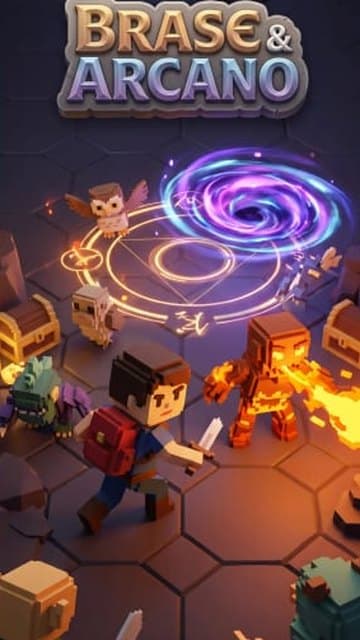
What your AI can do
Everything a game needs after it’s written
- Playtest the game on a phone-sized screen and fix what breaks
- Publish it with a link to share, or to the Mable feed after a quick review
- Save drafts and versions without touching the live game
- See players, who played 30+ seconds, and who came back
Questions
Good to know
Which apps work?
Claude, Claude Code, Codex and Cursor. Other apps that can add a remote MCP server with sign-in should work too.
Do I need an API key?
No. You add Mable once and sign in with your Mable account. New to Mable? You can create an account on the sign-in page.
Who sees my game before I publish?
Drafts open from a private link that only you get, unless you share it. Nothing is published until you say so.
What kind of games fit Mable?
Games people can pick up fast, with rounds, scores and a reason to play again. Your AI gets Mable’s rules when it connects.