
Blockville
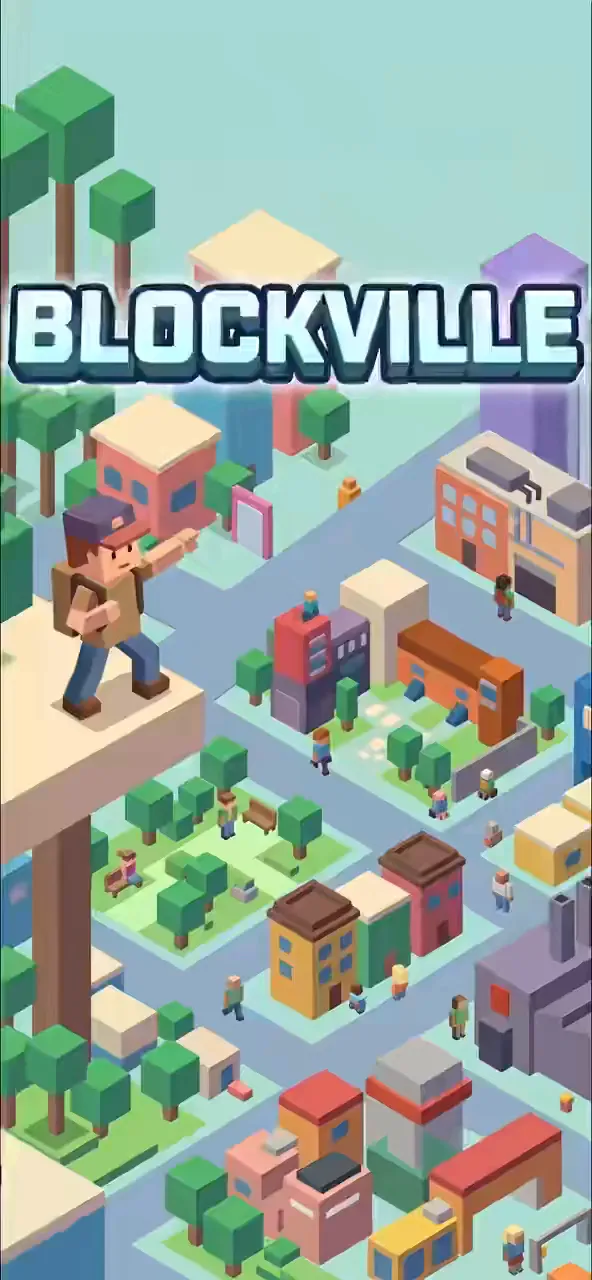
Build your own blocky world and explore vibrant city plazas with friends.
david_sebego made this on Mable.
Make your gameShare
About Blockville
Explore a blocky hub to play minigames, fight robots, and build structures.
How to play
- Move your avatar around the city hub to find portals.
- Enter the pink portal for parkour, orange for survival, or green for building.
- Collect coins scattered around the hub and minigames.
- Use coins in the shop to buy new hats for your avatar.
- Survive 3 waves of robots or reach the end of the obby to win.
Controls
- Touch
- Use the on-screen joystick to move and tap buttons to jump or interact.
- Keyboard
- Use WASD or Arrow Keys to move, Space to jump, and E to interact.
- Mouse
- Click buttons to navigate menus and customize your avatar.
More about this game
Start in a vibrant city hub where you can customize your avatar and chat with bots. Enter portals to play three different modes: an obstacle course, a survival arena against robots, or a creative building zone. In survival mode, you must survive three waves of enemies, while the obby challenges you to reach the end as fast as possible. Collect coins across modes to buy hats in the shop.
Tips
- In survival mode, keep moving to avoid the robots and push them away before they hit you.
- In the obby, use the checkpoint flag so you don't have to start over if you fall.
- In the building mode, you can place up to 80 blocks and stack them up to 7 blocks high.
FAQ
- How do I get new hats?
- Collect coins in the hub and minigames, then open the Shop menu to buy a cap for 8 coins or a crown for 20 coins.
- What happens if I fall in the obby?
- If you fall off the blocks, you will respawn. If you reached the checkpoint flag, you will respawn there instead of the beginning.
- Can I play with real people?
- No, the other characters in the hub and the chat messages are simulated by bots.